Rated4.9 out of 5Based on 1,247 reviews

Budget Planner Spreadsheet for Excel & Google Sheets

The XLS Wiz Budget Planner is a ready-made budget planner spreadsheet for Excel, Google Sheets and LibreOffice Calc. Track your income, expenses, savings goals, debt payoff and net worth in one automated file — no formulas to build and no accounting knowledge needed. Just enter your numbers and the budget planner does the rest.
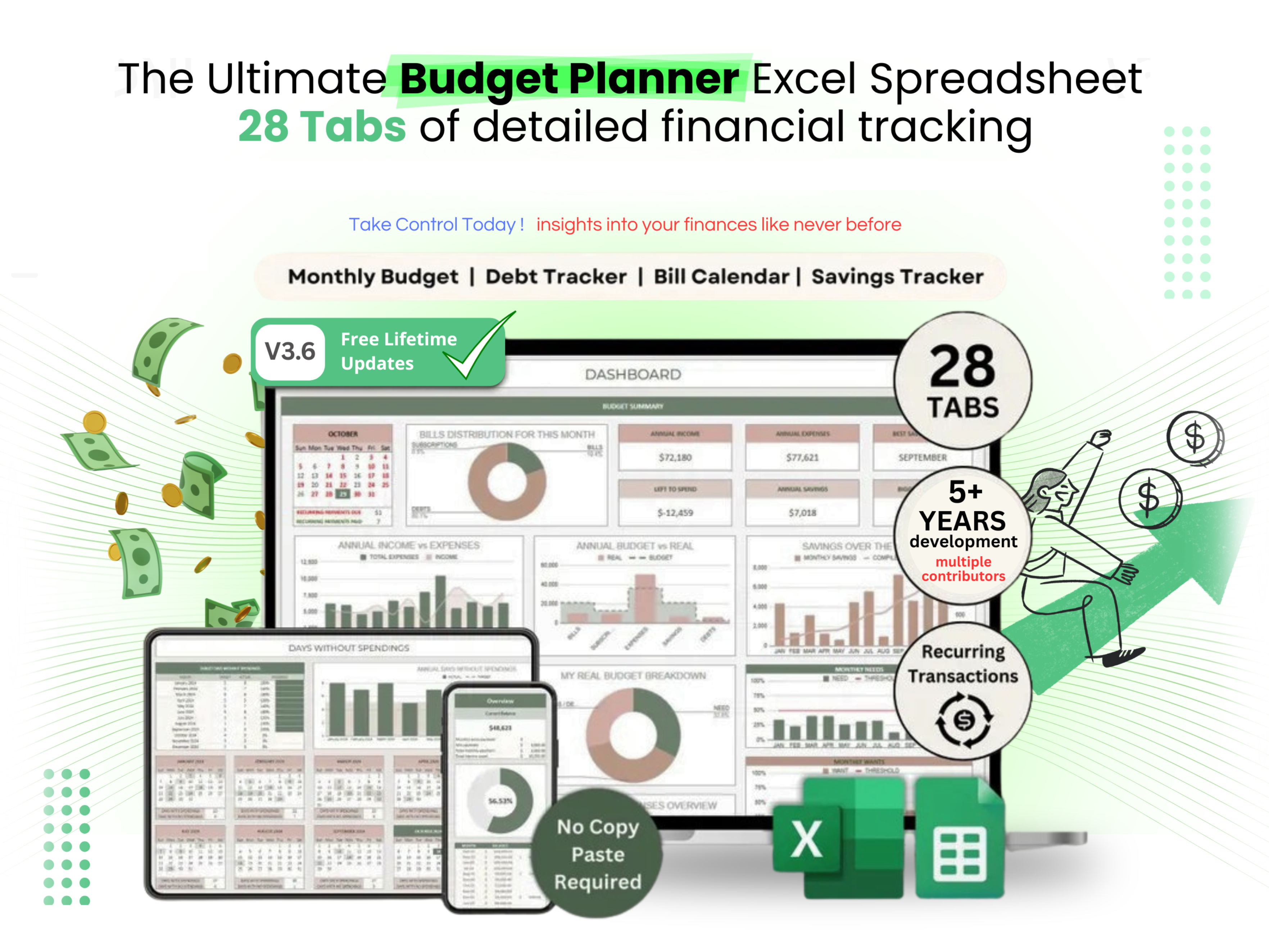
XLS Wiz Budget Planner Spreadsheet — Track Income, Expenses, Savings and Net Worth in Excel and Google Sheets
Rated 4.9 out of 5
Based on 1,247 reviews
Finally got my finances together
I've tried so many budgeting apps and nothing stuck. This spreadsheet just works. Had it set up in like 5 minutes and I can actually see where my money goes now.
Way better than Mint
I actually prefer having everything in a spreadsheet. No syncing issues, no broken bank connections. Just my numbers, my way.
My wife and I use it together
We both put in our income and expenses. The couples tab is great. We can finally have money conversations without arguing lol
Saved me from overdrafts
I used to overdraft at least once a month. Since using this I haven't had a single one. The calendar view is a game changer for bills.
Solid for the price
Does everything I need. Only reason it's not 5 stars is I wish the colours were customisable. But honestly for the price it's a steal.
I'm not a spreadsheet person but...
I was nervous buying this because I'm terrible with Excel. But the video walkthrough made it so easy. Literally just fill in your numbers and it does the rest.
The debt tracker alone is worth it
I have 3 credit cards and a car loan. Being able to see the payoff timeline and how extra payments speed things up... incredible.
Using it in Google Sheets no issues
I don't have Excel so I was worried. Works perfectly in Google Sheets. All the formulas, all the tabs. No problems at all.
50/30/20 tab is genius
I always heard about the 50/30/20 rule but never knew how to actually apply it. This breaks it down perfectly with your own numbers.
Bought it for my daughter at uni
She needed help managing her student loan and part time job income. This made it really simple for her. Great purchase.
Clean design, everything automated
You just enter your transactions and everything else calculates automatically. The dashboard gives you a full picture at a glance. Really well made.
Good but takes a little getting used to
There's a lot of tabs which was overwhelming at first. After watching the video tutorial though it all clicked. Now I use it daily.
Net worth tracker is addictive
Watching my net worth climb every month is honestly the best motivation. Such a simple idea but it works.
Replaced 3 apps with one spreadsheet
I was paying for YNAB, using a free savings tracker, and had a separate debt sheet. This does all of it in one file. No brainer.
I'm in the UK and it works great
Changed the currency to GBP and everything just worked. Paycheck frequency options fit perfectly with how we get paid here too.
Instant download, no hassle
Bought it, got the email in like 30 seconds, downloaded, done. No account creation or anything. Appreciate that.
Honestly didn't expect this much
28 tabs is no joke. Sinking funds, investments, annual overview, couples tracker... it's more like a financial planning suite than a budget sheet.
Makes payday planning easy
I get paid bi-weekly and always lost track of which bills came out when. The paycheck tab fixed that completely.
Bought 2 more for friends
Got it for myself first, then my 2 best mates wanted it too after seeing mine. We all use it now. Proper helpful.
Super impressed with the annual view
Being able to see 12 months of spending side by side is so useful. I spotted patterns I never noticed before. Like how much I spend on takeaway in winter lol.
Best money I've spent this year
And I say that as someone who was sceptical. I thought it would be some basic sheet with a few formulas. This is a completely different level.
Support replied same day
Had a question about the investment tracker and they emailed me back within a few hours. Didn't expect that at all.
Using it in AUD, works perfectly
I'm in Australia and was worried about compatibility. Switched to AUD, set my pay cycle and it all just works. No issues.

How the budget planner spreadsheet works

Setup takes about five minutes. Open the spreadsheet in Excel or Google Sheets, set your currency and pay cycle, and start entering transactions. Every dashboard, chart and summary is pre-built with formulas, so the planner does the maths for you as you go.
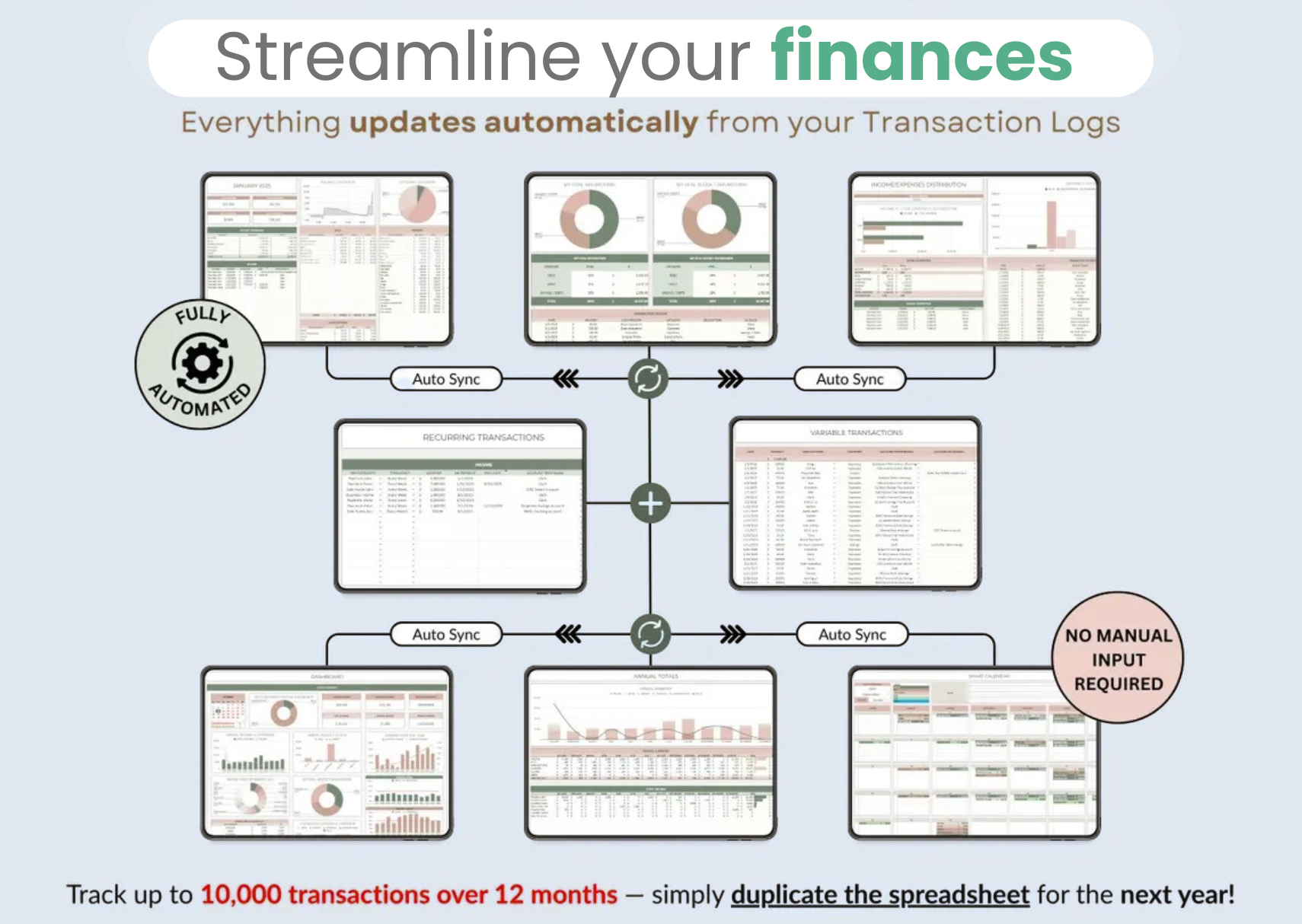
How the XLS Wiz Budget Planner Spreadsheet Works — Streamline Your Finances

Log every transaction in one place

The transaction tracker is the heart of the budget spreadsheet. Record income and expenses, tag them by category, and watch your monthly budget update automatically. It works exactly the same whether you use Microsoft Excel or Google Sheets.
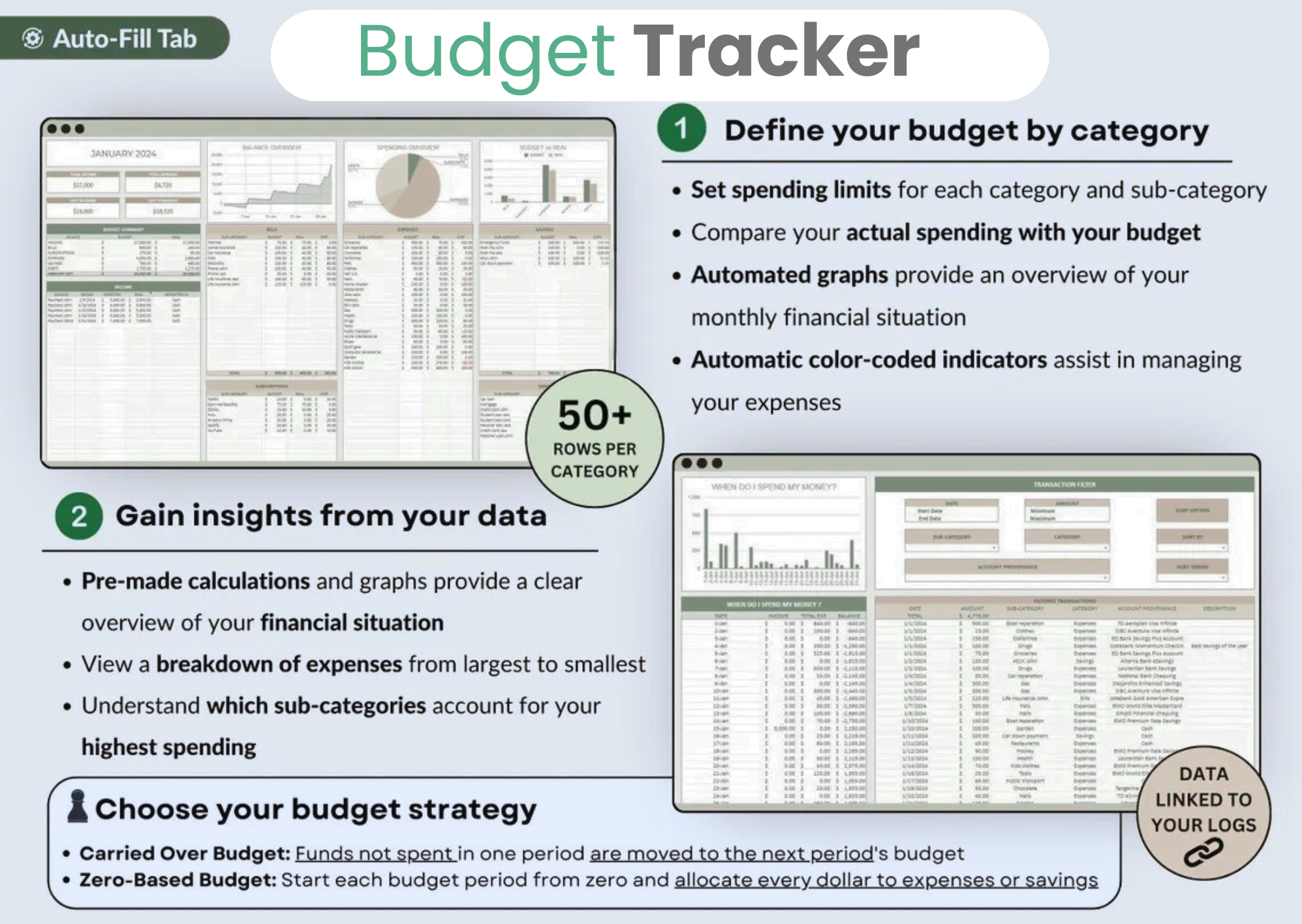
Budget Tracker Spreadsheet — Log Every Transaction in Excel or Google Sheets

Plan around every paycheck

Get paid weekly, bi-weekly or monthly? The paycheck planner allocates each pay period to the bills and savings due before your next one, so you always know what is spoken for and what is free to spend.
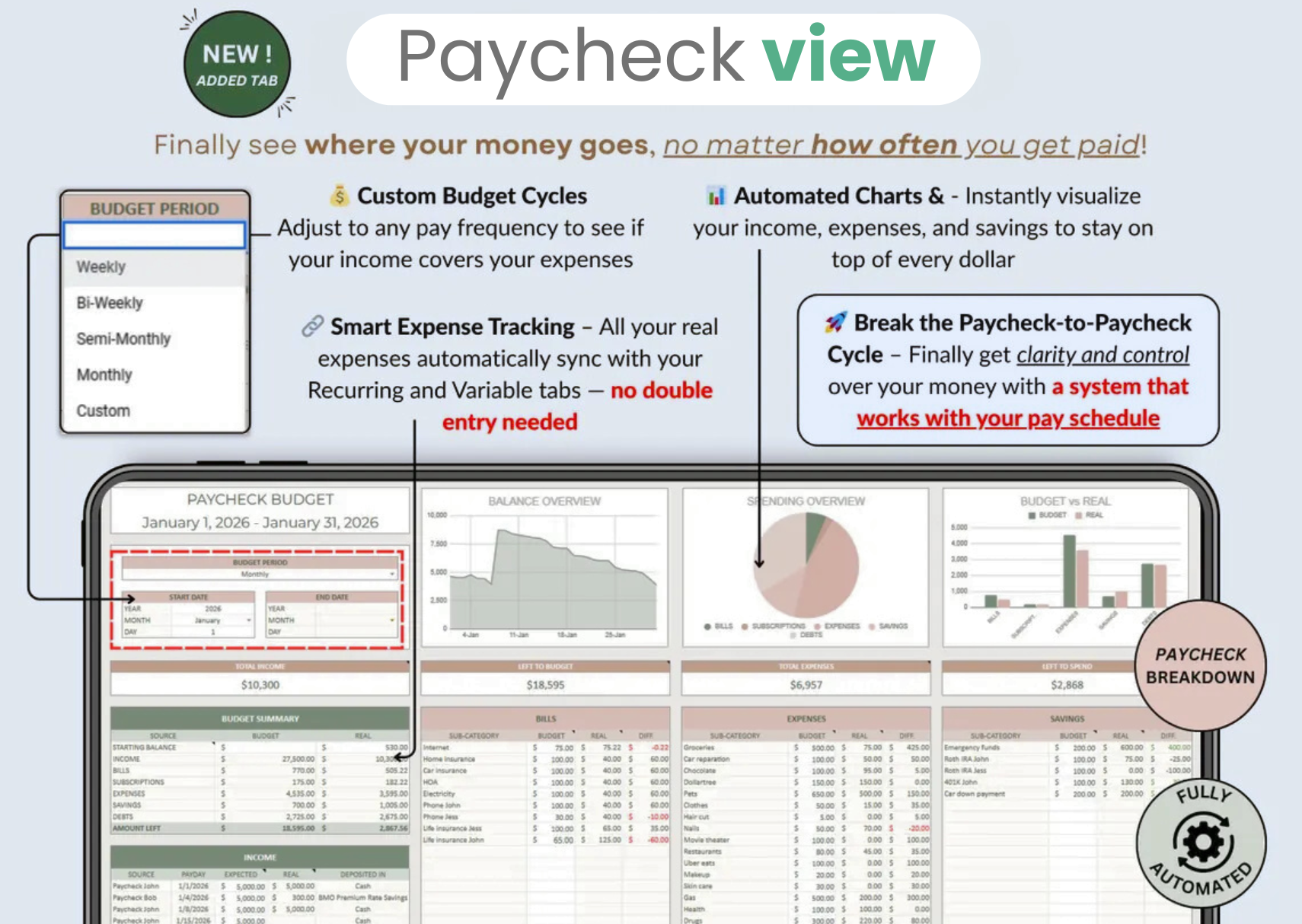
Paycheck Budget Planner Dashboard — Allocate Income by Pay Period

See your whole month at a glance

The main budget dashboard pulls everything together — income, spending by category, savings and what is left over — into a single clear overview so you can spot problems before they become overdrafts.
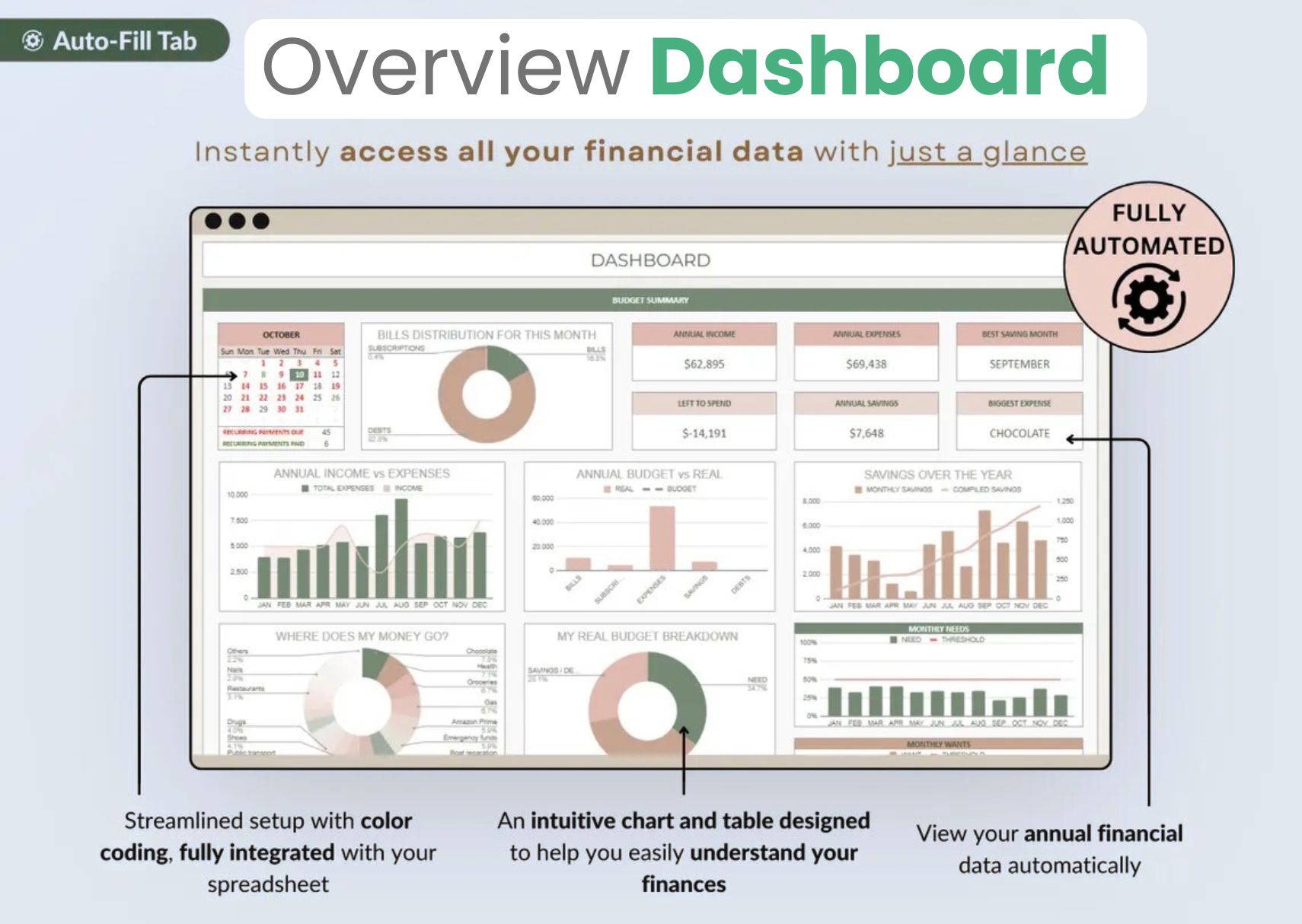
All-in-One Budget Dashboard — Monthly Spending Overview at a Glance

A full 12-month annual budget

Step back from the day-to-day and see all twelve months side by side. The annual budget summary reveals seasonal spending patterns and shows how your finances trend across the whole year.
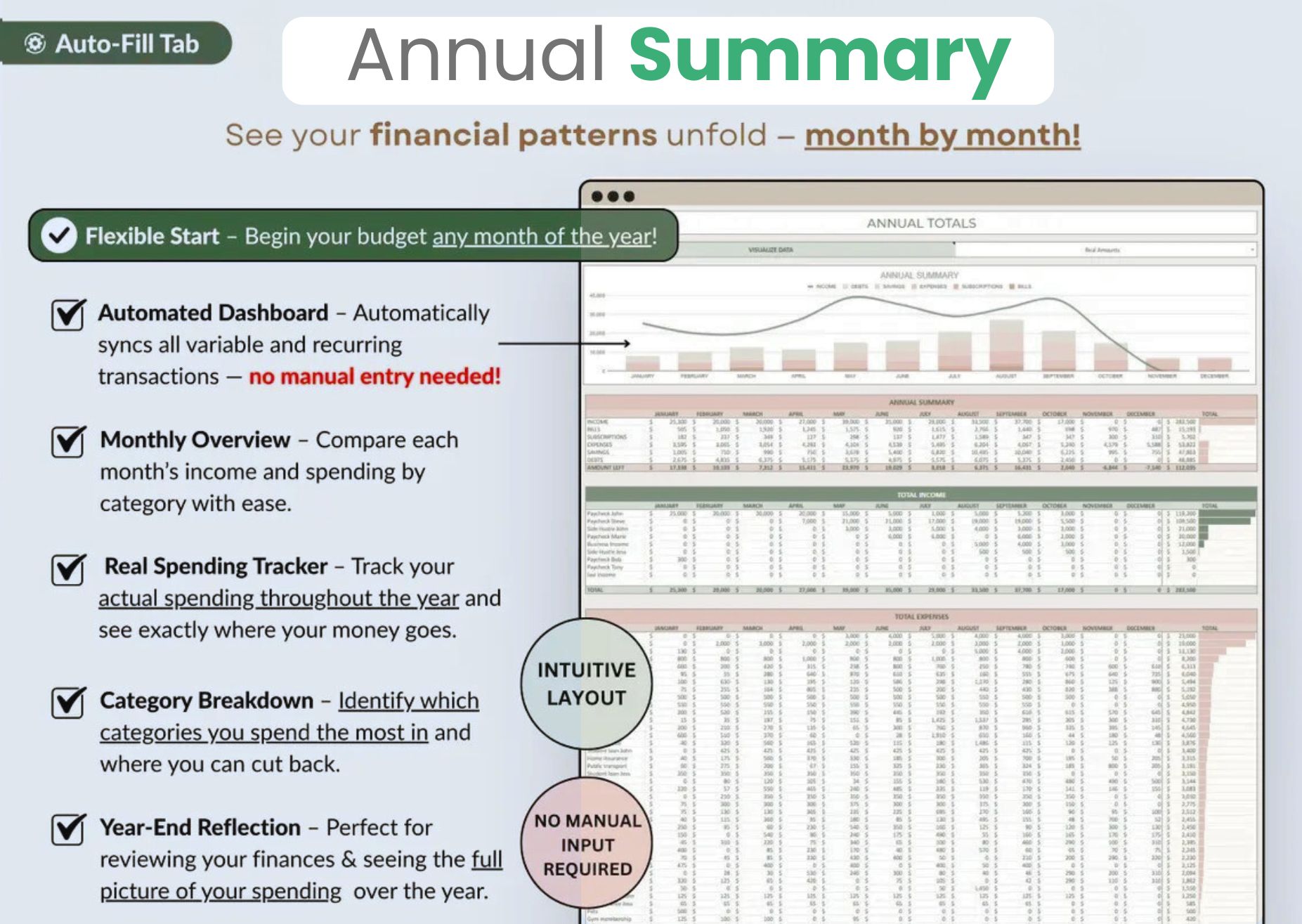
Annual Budget Summary — 12-Month Financial Overview Spreadsheet

Never miss a bill again

The automated bill calendar lays out every due date across the month so recurring payments never catch you off guard. It is one of the simplest ways this budget planner helps you avoid late fees.
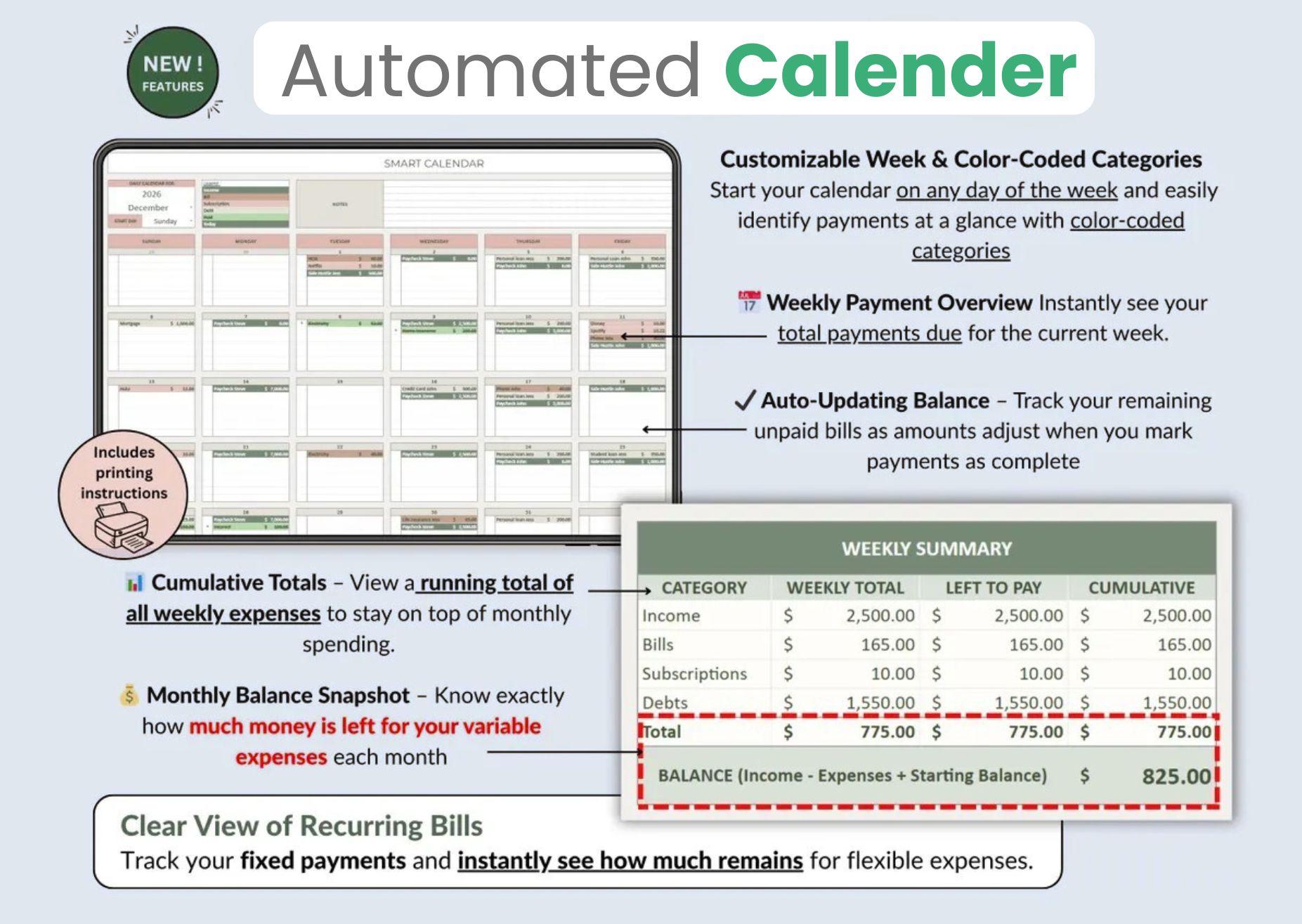
Automated Bill Calendar — Never Miss a Payment with Budget Planner

Budget together as a couple or household

Both partners can add income and expenses to one shared spreadsheet, making it easy for couples and families to plan money together and finally have calm, clear conversations about the budget.
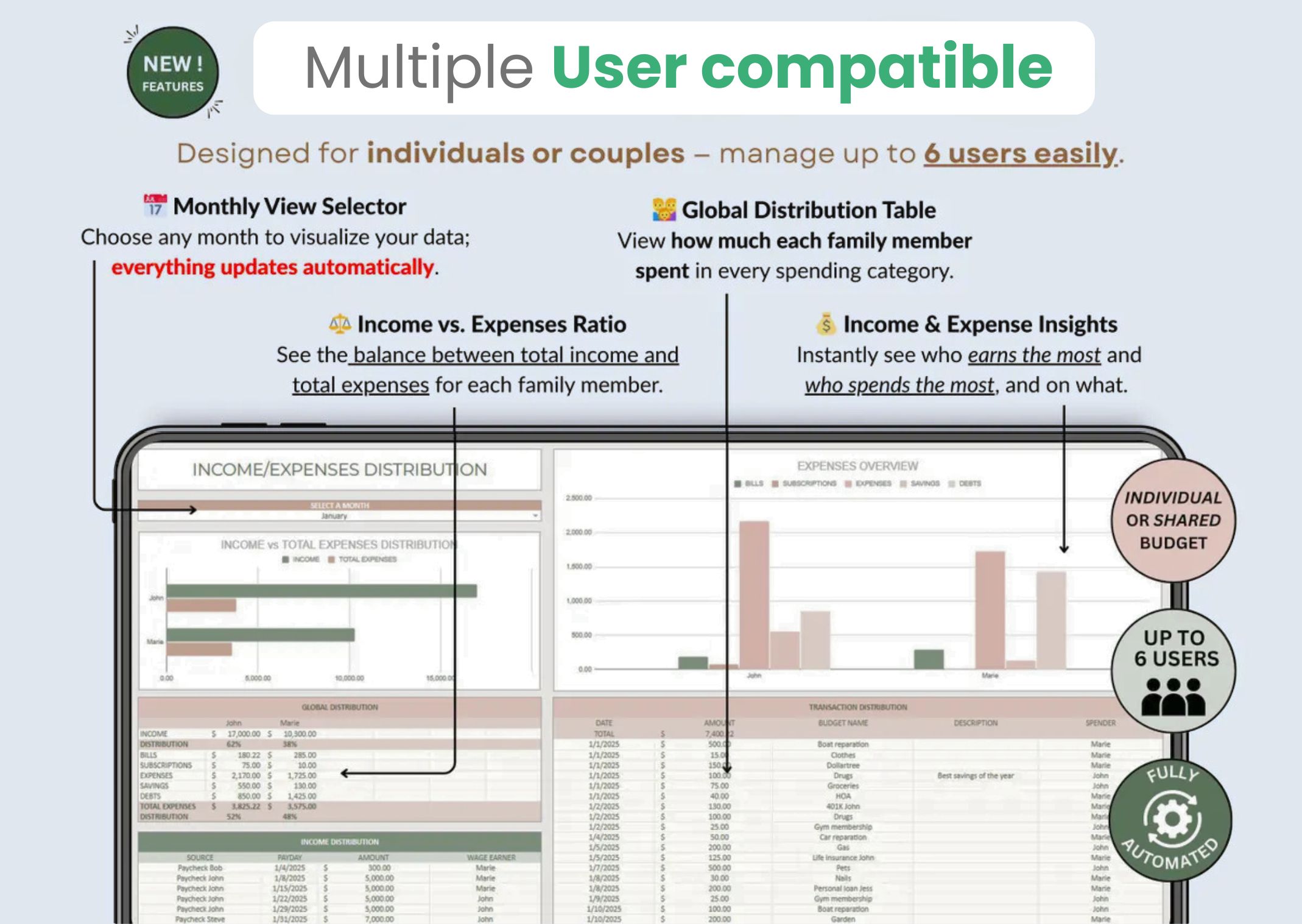
Couples Budget Planner — Manage Shared Finances Together in One Spreadsheet

Sinking funds & savings goals

Set targets for holidays, an emergency fund, a new car or anything else, then track your progress automatically. The savings and sinking-fund trackers turn vague intentions into a concrete plan.
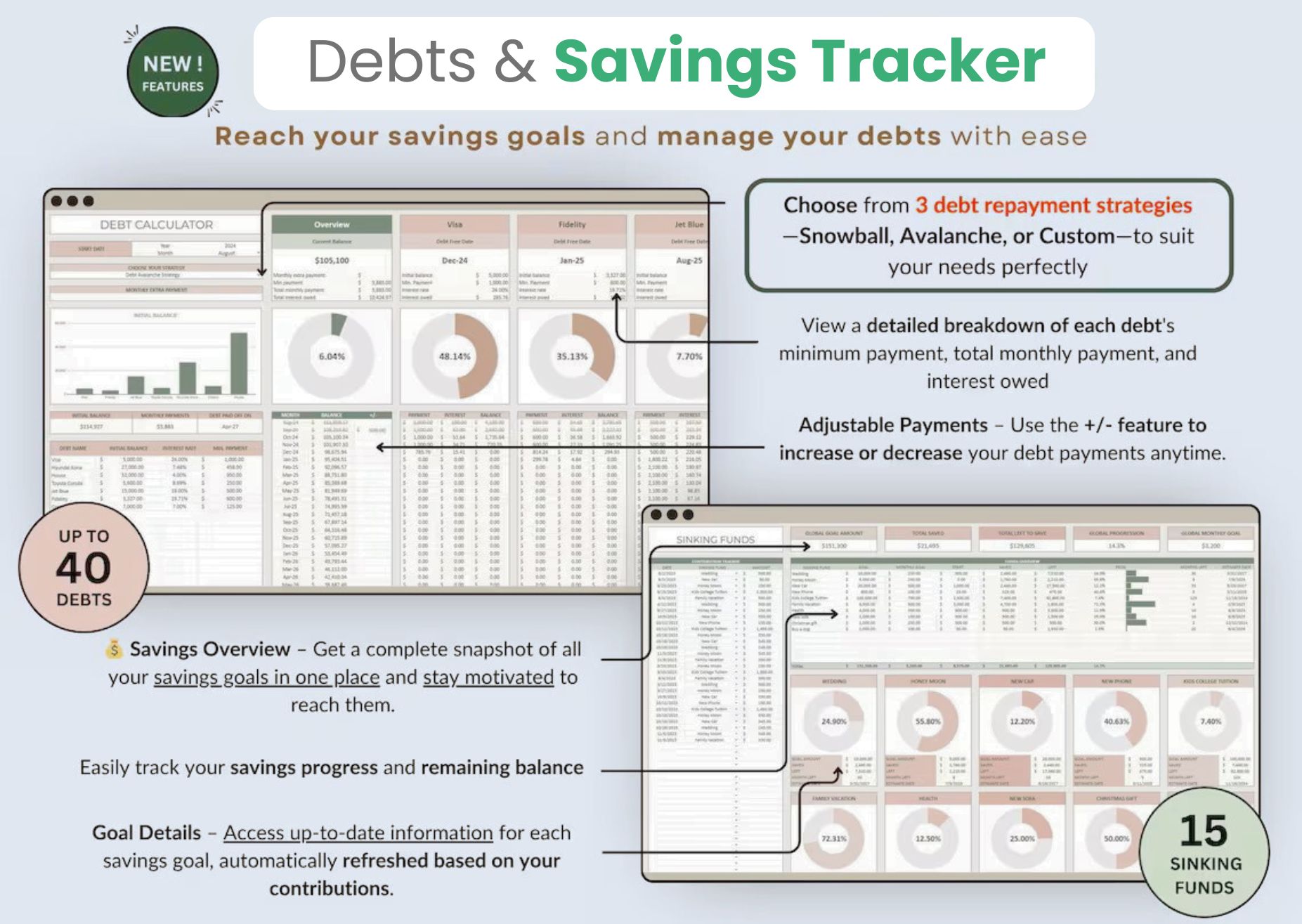
Sinking Funds and Savings Goal Tracker Spreadsheet

Track every account balance

Keep all your bank and card balances in one view so you always know your true cash position across every account without logging into a single app.
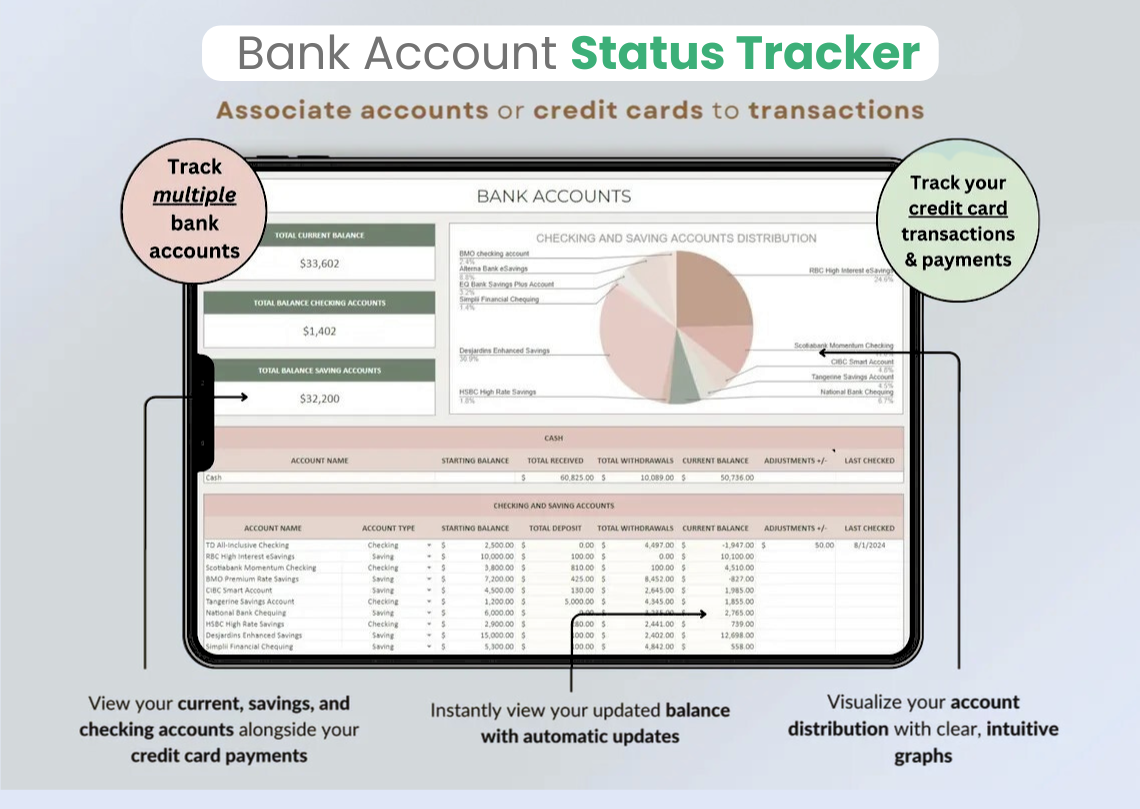
Bank Account Tracker — Monitor Balances Across All Accounts

The 50/30/20 budget rule, done for you

The built-in 50/30/20 dashboard splits your income into needs, wants and savings automatically, so you can apply this popular budgeting rule to your own real numbers with zero manual calculation.
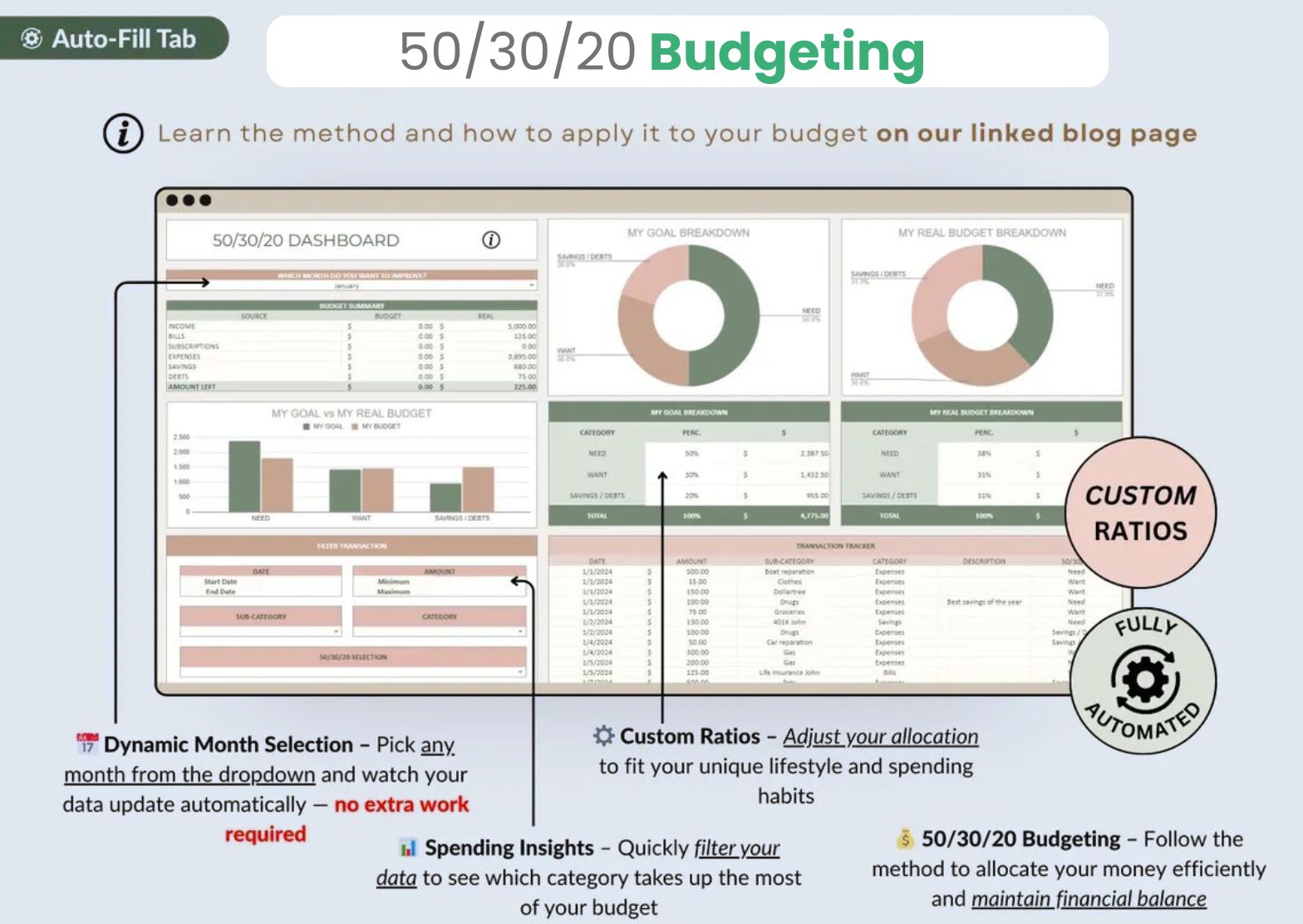
50/30/20 Budget Rule Dashboard — Needs, Wants and Savings Breakdown

Watch your net worth grow

Log your assets and liabilities and the net-worth tracker charts the difference month over month. Seeing that number climb is the motivation that keeps the budgeting habit going.
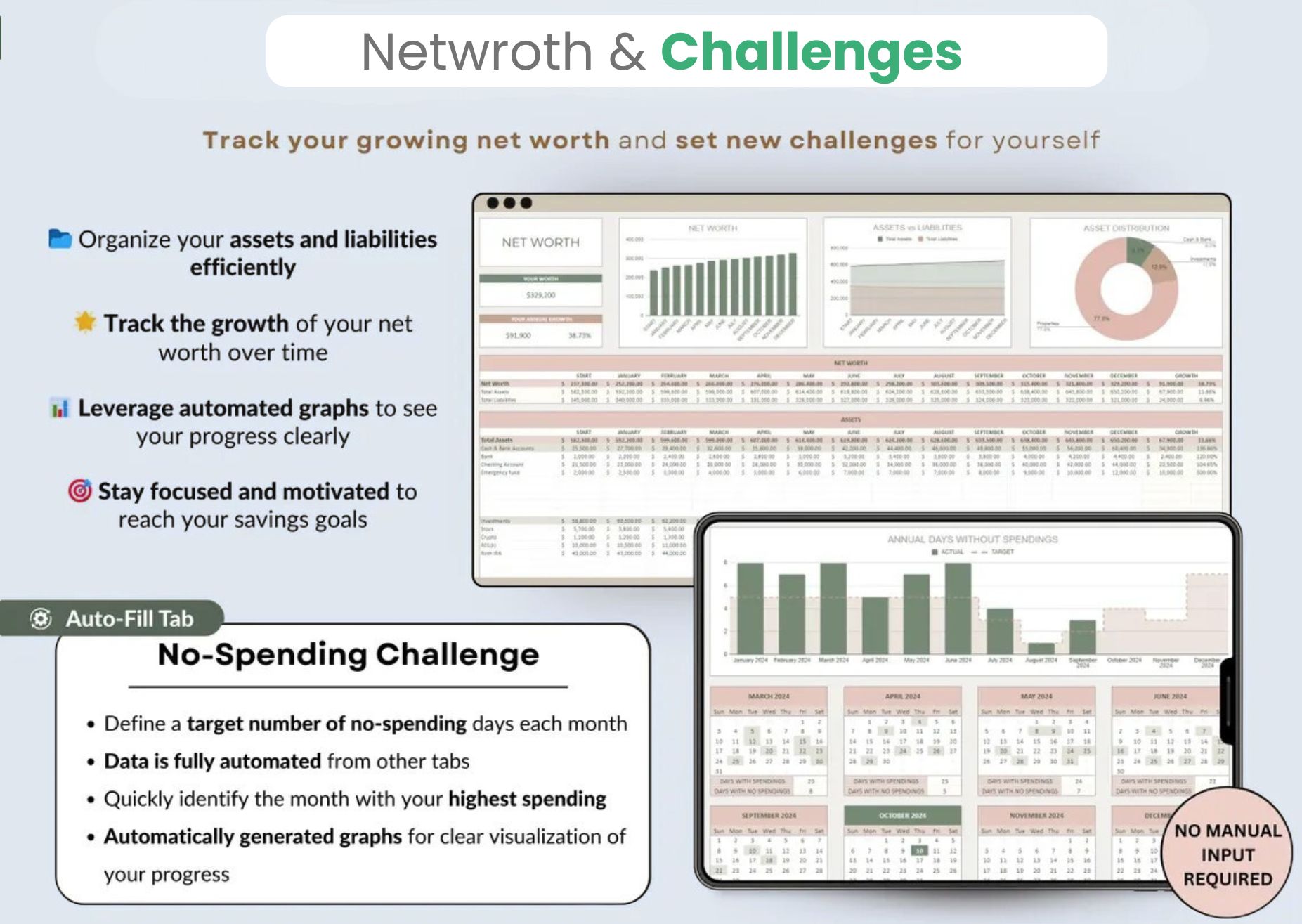
Net Worth Tracker Spreadsheet — Track Assets and Liabilities Over Time

Set up in under 5 minutes

Not confident with spreadsheets? A step-by-step video walkthrough and written guide are included, so you can have the whole budget planner up and running in a few minutes.
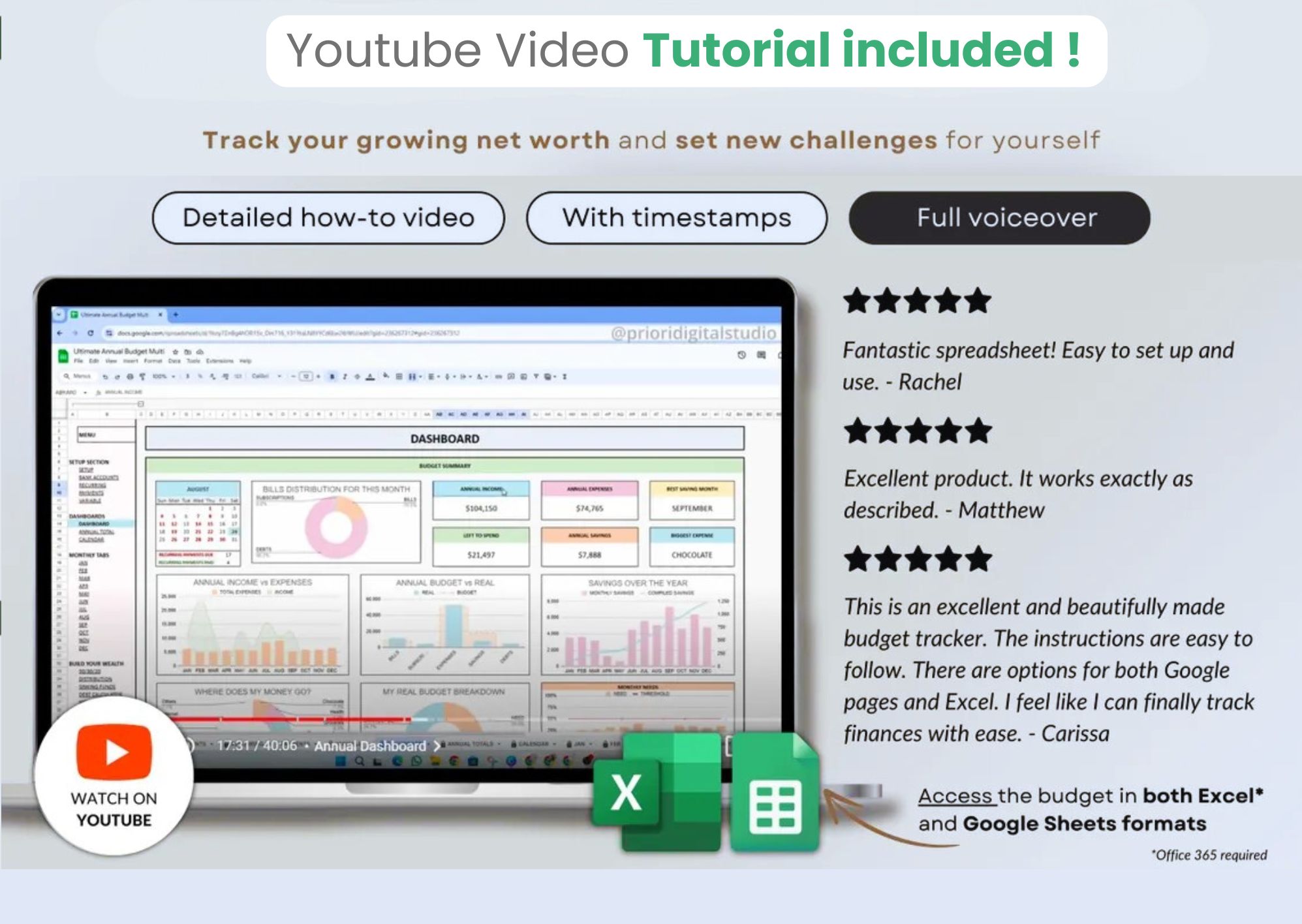
Budget Planner Video Tutorial — Set Up Your Spreadsheet in 5 Minutes

Works in Excel, Google Sheets & LibreOffice

One purchase, every platform. The budget spreadsheet is fully compatible with Microsoft Excel, Google Sheets and LibreOffice Calc, on both Windows and Mac, so you can use it wherever you already work.
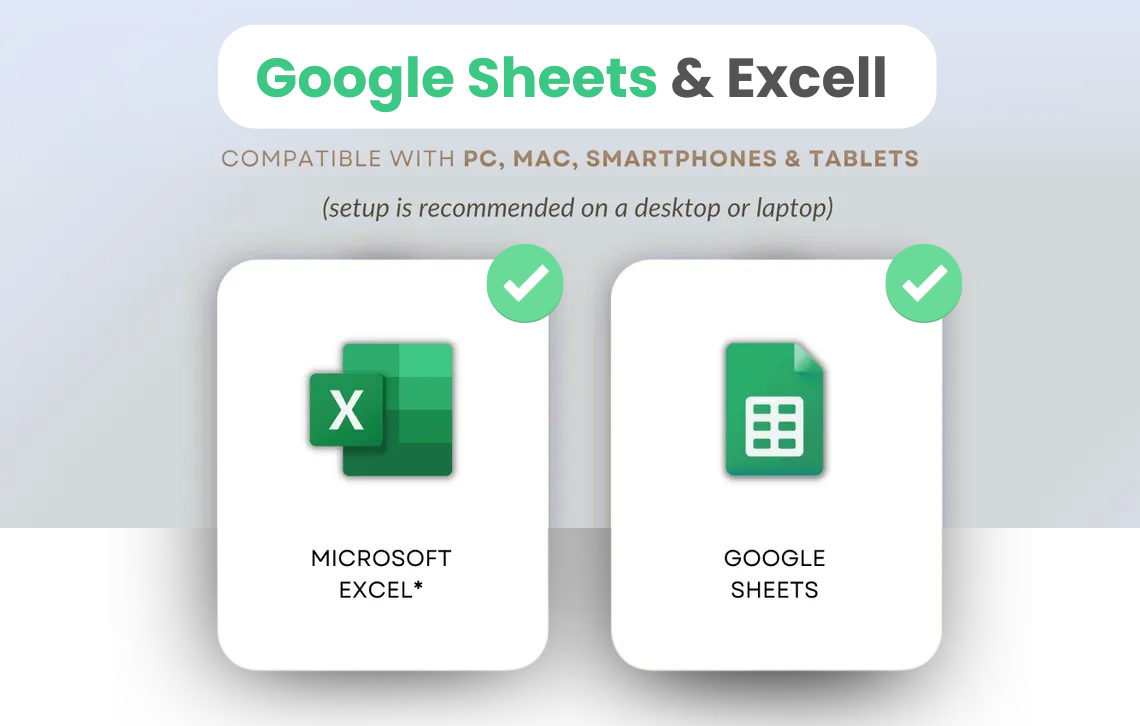
Compatible with Microsoft Excel, Google Sheets and LibreOffice Calc

So Here Is the Question
Are You Serious About Your Money ?
Take Full Control of Your Finances Today for $14.

Over 5 years of development have gone into this budget planner, built by finance graduates and financial professionals from around the world. Some of the sharpest minds in personal finance have contributed to making XLS Wiz what it is today.

Lifetime Updates
One-Time Purchase
Instant Delivery
Download in 60 Seconds
5-Minute Setup
Video Guide Included
40+ Currencies
Global Compatibility
XLS Wiz Budget Planner — Featured Financial Planning Spreadsheet

The Ultimate Budget Planner V3.0

Stop juggling apps and broken templates. XLS Wiz is the professional grade budgeting system that tracks every dollar, automates your calculations, and shows you exactly where your money goes all in one elegant spreadsheet.

28
Smart Tabs
5min
Setup Time
40+
Countries
★4.9
User Rating
Secure Checkout Instant Download 5-Min Setup
SALE
⚡ 4,800+ Copies Sold
Ultimate Budget Planner
$28 $14
🔥 You Save $14 (50% Off)
  • 28 Automated Tracking Tabs
  • Monthly & Annual Dashboards
  • Debt Payoff & Net Worth Tools
  • 50/30/20 Rule Visualization
  • Multi-Currency Support (40+)
  • Step-by-Step Video Tutorial
  • Lifetime Updates — No Extra Fees Ever
⚡ Get Instant Access — Just $14
Secure checkout • Instant download • Yours forever

Before You Buy

Only the answers that matter.

Can it manage recurring income and bills?+

Yes. Set income or expenses to repeat weekly, bi-weekly, monthly, or quarterly and the planner handles the math for you automatically.

How long can I use it?+

As long as you want. Each file covers 12 months, and you can duplicate it for the next year with no renewal or extra charge.

Will this work with currencies other than USD?+

Yes. It works with global currencies and is already being used by customers in 40+ countries.

Can my partner or family use it too?+

Yes. You can manage shared finances in one file, which makes it useful for couples, families, and households managing money together.

Does it work in Google Sheets and LibreOffice?+

Yes. It is compatible with Microsoft Excel, Google Sheets, and LibreOffice Calc.

Do I need accounting knowledge?+

No. If you can enter numbers, you can use it. The calculations, dashboards, and planning tools are already built in for you.

What if I am not good with spreadsheets?+

Most customers are fully set up in under 5 minutes using the included guide and video walkthrough.

Is this worth $14?+

If this helps you catch even one forgotten bill, one hidden charge, or one spending habit you missed before, it has already paid for itself.
$28 $14 — 50% Off Today
Buy Now →